Do You Really Need a Green Screen? A Filmmaker's Honest Guide
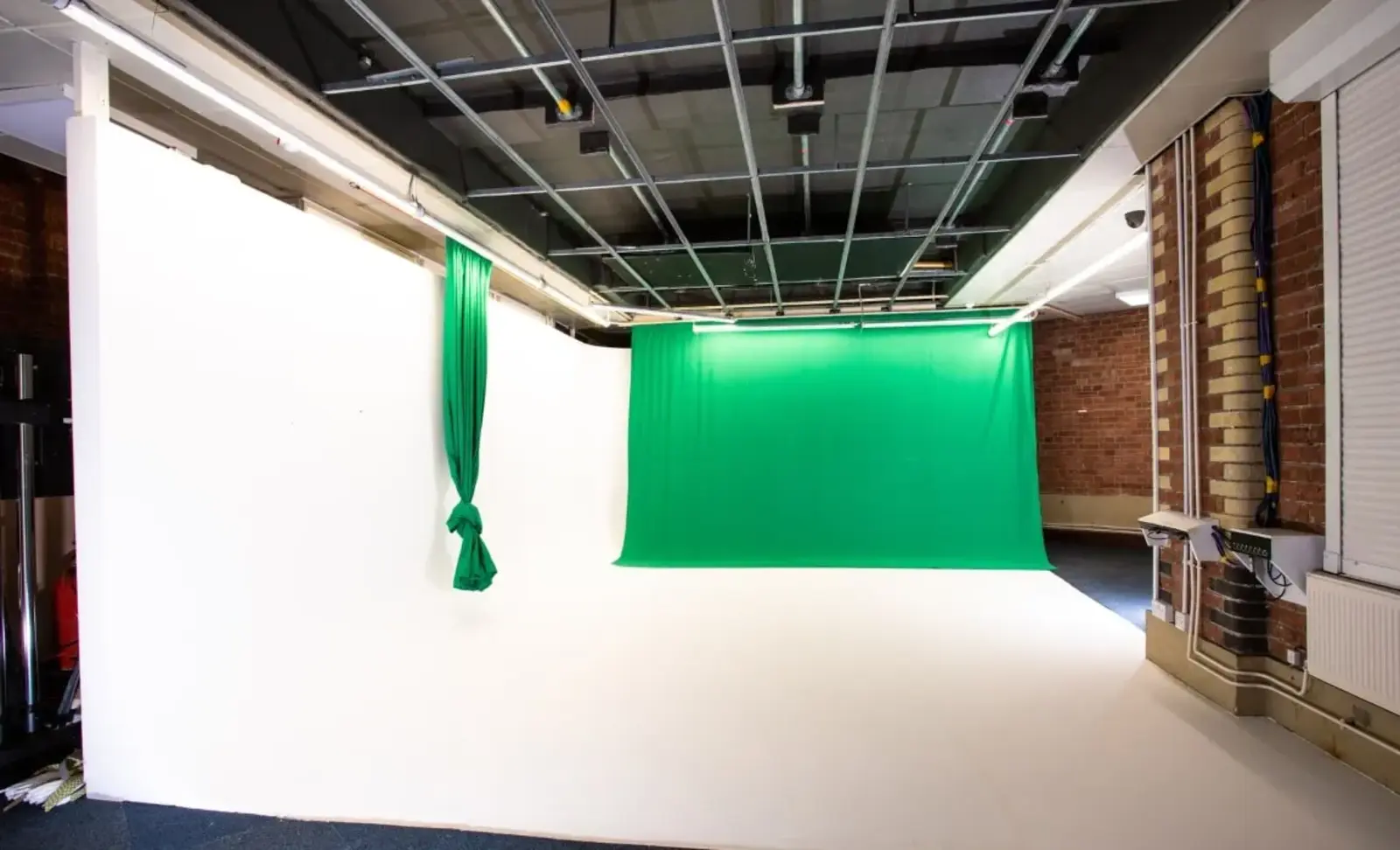
- A green screen only earns its place when you're replacing the entire background in post. If you just need a clean or neutral backdrop, there are simpler options.
- Green (or blue) works because it's rarely present in skin tones or hair, which makes it easy for editing software to isolate.
- The biggest risk with green screen isn't the concept, it's the lighting. Uneven light and spill cause most of the problems people run into.
- A plain cyc wall, a real location, or a proper backdrop often gets the job done without the extra keying step.
- When it's genuinely the right tool (fully synthetic backgrounds, safety rigging, impossible locations), it can save serious time and budget.
Green screen gets treated like the default answer to almost any shoot that needs a background swap. It isn't.
It's a specific tool for a specific job, and reaching for it without asking whether you actually need it can add cost, time, and a lot of post-production headache for no real benefit.
This guide walks through what a green screen actually is, when it's worth using, when it isn't, and what tends to go wrong when productions use one without planning for it properly.
What Is a Green Screen, Actually?
A green screen is a solid-coloured backdrop used with chroma key software to swap out the background after filming.
The technique works because green rarely appears in human skin tones or hair, so editing software can isolate your subject and drop in a new background cleanly.
Blue works on the same principle and gets used in some productions, particularly when the subject is wearing green or when a production wants slightly better contrast against certain skin tones.
But green stays the industry default because it needs less light to read clearly on camera, which matters when you're lighting a large surface.
The whole process rests on colour contrast: pick a solid, evenly lit colour that's unlikely to appear anywhere else in the shot, and the software does the rest.
What's Another Name for a Green Screen?
The correct technical term is chroma key screen. "Green screen" describes the physical backdrop, while chroma keying is the actual technique removing that colour in post.
People tend to use the two terms interchangeably, but they're not quite the same thing: one's the object, one's the process.
You might also hear it called a colourback. Whatever the name, the principle stays the same: a solid colour, evenly lit, ready to be swapped out.
Do You Really Need a Green Screen?
Here's the honest answer: only if you're replacing the entire background with something that doesn't exist anywhere real.
If you just need a clean, neutral, or branded backdrop, a real location or a plain studio wall usually gets you there faster, with no keying step and no risk of spill ruining a shot in post.
Green screen adds a layer of technical complexity that only pays off when the job genuinely calls for it.
When Green Screen Is the Right Call
A handful of situations make green screen worth the extra prep:
- Fully synthetic or impossible backgrounds. Fantasy environments, alien landscapes, anything that can't be filmed anywhere real.
- Safety rigging. Stunt harnesses and wires painted green or blue so they can be removed in post, letting performers do things that would be unsafe or impossible to shoot for real.
- Consistent studio content at scale. If you're producing the same format repeatedly (weather segments, product explainers, remote presenter pieces), a green screen setup lets you swap backgrounds without rebuilding a set each time.
When It's Not
Most productions don't need a green screen. They need a clean, controlled space that doesn't need any keying at all.
One production we worked on in 2025 is a genuine exception worth knowing about.
A client was making a feature film blending AI-generated elements with real actors, and they needed the background fully synthetic for specific scenes.
Our Infinity Cove studio is a white cyc wall by default, so we painted it green specifically for that shoot.
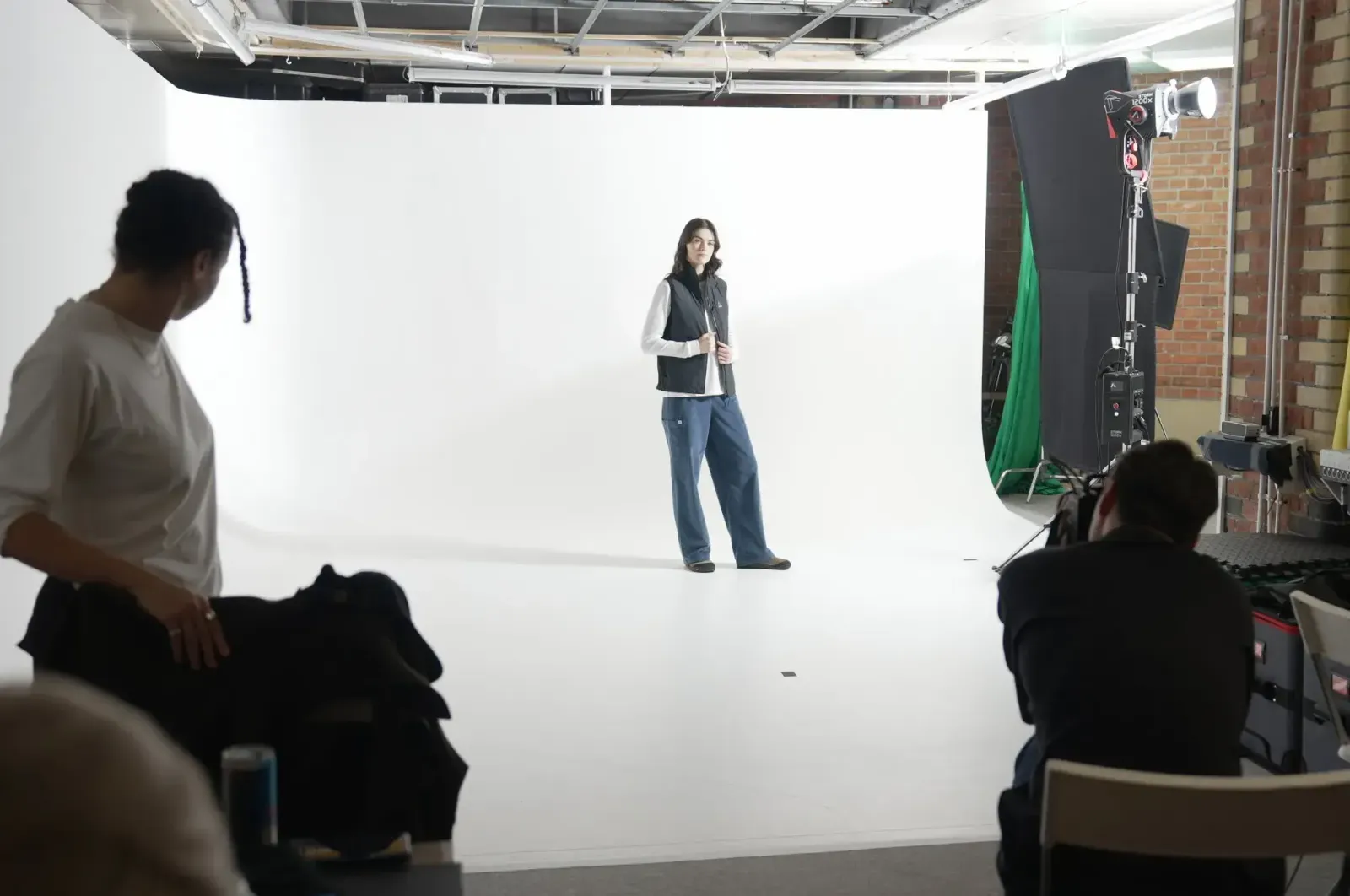
The team filmed the actors against green, then generated backgrounds and props with AI in post. The result was a significant budget saving, and it looked genuinely real.
That worked because the production had a specific, well-defined need for a fully replaceable background. Most shoots don't.
What Are the Disadvantages of a Green Screen?
The main disadvantages are lighting complexity, wardrobe restrictions, and the extra time it adds in post-production.
Getting an even, shadow-free key requires careful lighting, and uneven lighting or shadows make the background much harder to remove cleanly.
Wrinkles or folds in the screen material cause the same problem, so the surface itself needs to be properly maintained before you even start lighting it.
There's also a wardrobe cost. Nothing green (or blue, if that's your key colour) can appear on set, which limits costume and prop choices in ways a real location never would.
And however clean the shoot, you're still adding a compositing step in post that a real background skips entirely.
What Colour Should You Avoid, and What's the 3-Colour Rule?
Avoid using your key colour anywhere on wardrobe, props, or set dressing. If your screen is green, nothing on the subject should be green, right down to jewellery and accessories, or the software will key those areas out too.
The 3-colour rule simplifies this down to picking a key colour that has strong contrast against everything else in frame: your subject's skin and hair, their wardrobe, and the environment.
Green works for most people because it sits furthest from typical skin tones.
Blue is the usual swap when green conflicts with wardrobe or set design.
How to Avoid Common Green Screen Mistakes
The three mistakes that cause the most problems are uneven lighting, standing too close to the screen, and mismatched light direction between subject and background.
Uneven lighting creates shadows and hot spots that make a clean key difficult, so the fix is straightforward: light the screen with soft, diffused sources spread evenly across the whole surface, not just the centre.
Standing too close causes spill, where the green reflects onto skin, hair, or clothing and creates a faint halo around the subject.
As a rule of thumb, keep at least five feet between subject and screen to limit spill, and closer to ten feet if you also want to avoid shadows falling on the screen itself.
Finally, match the direction and intensity of your subject lighting to whatever background you're planning to composite in.
If the background is lit from one side and your subject is lit flat, the final shot won't sit together convincingly, however clean the key itself is.
A few UK-based cinematographers also flag camera settings as a common oversight: shooting with your lens too wide open or your ISO too high adds noise that makes the key harder to pull cleanly, so it's worth locking those down before you roll.
What Can You Use Instead of a Green Screen?
If you don't need a fully replaceable background, a real location or a plain neutral backdrop usually does the job with less setup and no compositing step.
Our own Infinity Cove studio is a white cyc wall by default, not a green screen.
It works as a clean, seamless backdrop you can shoot straight onto for product photography, interviews, or fashion work, no keying required.
It can be painted or lit green for productions that genuinely need chroma key, as we did for the AI feature film, but most bookings use it exactly as it is.
If you just need a specific colour or texture behind your subject without booking a full studio session, hiring a background or drape on its own is often the simpler route.

What Are Some Creative Green Screen Ideas?
When green screen genuinely is the right call, a few formats get the most out of it:
- Branded product shots with backgrounds that change for different campaigns without reshooting.
- Virtual sets for interviews, panels, or presenter-led content that needs a different environment each episode.
- Remote presenter pieces, where the subject is filmed separately from wherever the final background footage comes from.
Each of these works because the background genuinely needs to be swappable, not just clean.
If you're weighing up an idea like this against your own footage, our past productions are worth a browse for a sense of what's possible.
The Short Answer
Green screen is a brilliant tool when the job calls for a fully synthetic background.
For almost everything else, a real location or a clean neutral backdrop gets you there faster, with fewer moving parts and no keying step to worry about in the edit.
If you're not sure which camp your next shoot falls into, get in touch for a quote and we'll talk through what actually fits the brief, kit, studio, or both.
Let’s plan your next shoot
Get your equipment, studio and crew all in one place.