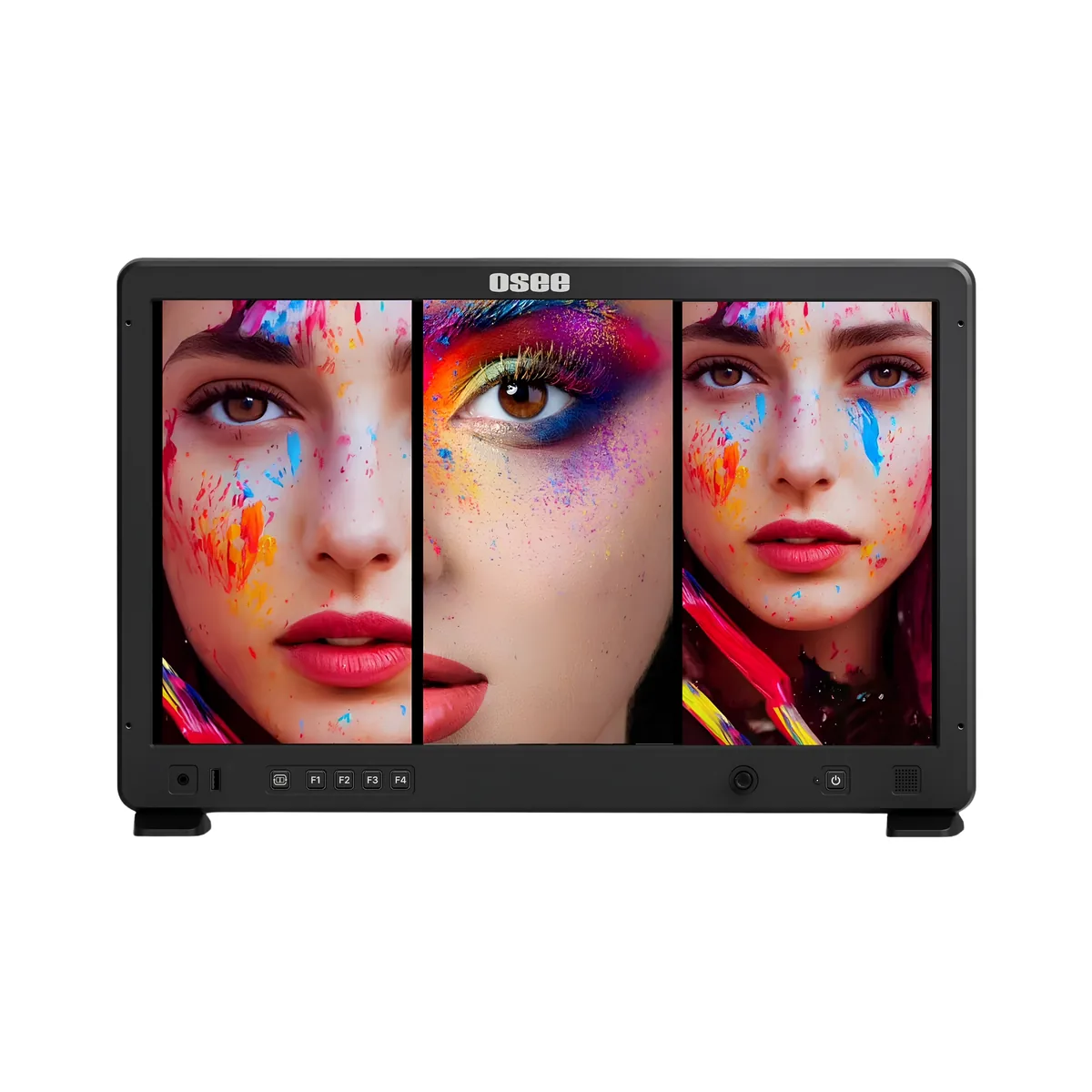
Osee Mega 22S4 21.5" Multi-View Monitor
The Osee Mega 22S4 is a 21.5" multi-view monitor that lets you view up to 4 camera feeds on one screen at once. It's built for multi-camera productions where you need one clear view instead of a desk full of small monitors.
Kit includes
1 x Osee Mega 22S4 21.5" Multi-View Monitor
1 x Mounting Plate
1 x Sunhood
1 x Power Cable
1 x D-Tap to 4-Pin XLR Cable
1 x Peli 1600 Case
1 x Lightweight Stand
1 x Sand Bag
Key features
- 21.5" 10-bit IPS panel at 1500cd/m² brightness, so it stays readable even in daylight
- 6 inputs to choose from: 3x 4K HDMI and 3x 3G-SDI, feeding straight from cameras with no switcher needed
- Single, dual, triple and quad-screen layouts, with PIP and PBP options, for viewing up to 4 cameras at once
- HLG/PQ HDR and 3D LUT support, alongside focus peaking, waveform, histogram, false colour and zebra tools
- VESA mounting plate with a spigot that fits straight onto a C-stand or lightweight lighting stand
- Accepts DCI 4K30 input, downconverted to its Full HD panel
Description
On a single-camera shoot, one monitor does the job. Multi-camera productions are a different problem: someone, usually the director, needs to see every angle at once, and a row of small 5" or 7" monitors gets awkward fast. The Mega 22S4 solves that by putting up to 4 camera feeds, drawn from 6 available inputs, onto one 21.5" screen.
Layouts are configurable for up to 4 cameras at once: run it as a quad screen for four equal views, PIP to keep one camera large with the others as thumbnails, or PBP for a clean side-by-side split. It also supports landscape and portrait orientation, useful if part of the shoot is headed for vertical/social delivery, though switching between the two means unmounting the monitor and turning it by hand rather than rotating it in place on the stand.
It pairs naturally with multi-camera setups where you're running camera operators across several angles. If a director wants to stand near camera rather than back at a video village, this is built for exactly that. Take a look at our full range of monitor hire if you're weighing this up against other options.
The mounting plate has a spigot that fits straight onto a C-stand or lightweight lighting stand, so it slots into a normal grip setup without extra adapters. The hire includes the mounting plate, power cable, sunhood, a D-Tap to 4-pin XLR cable and a Peli 1600 case. If you only need a single high-bright monitor rather than a multi-view setup, the SmallHD Cine 18" is worth a look instead. Request a quote to add it to your kit list.
FAQs
What's included with the Osee Mega 22S4 hire? The hire includes the monitor, mounting plate, sunhood, power cable, a D-Tap to 4-pin XLR cable, a Peli 1600 case for transport, a lightweight stand and a sandbag. The D-Tap cable lets you power it from an on-set V-Lock battery instead of mains, though the battery itself is a separate hire.
How many camera feeds can it show at once? Up to 4, drawn from 6 available inputs (3x 4K HDMI and 3x 3G-SDI), in single, dual, triple or quad-screen layouts with PIP and PBP options.
Can I mount it on a stand? Yes. The mounting plate on the back has a spigot that goes straight onto a C-stand or lightweight lighting stand. A stand is included with the hire as standard.
Does it support vertical/portrait viewing? Yes, though switching between horizontal and vertical means unmounting the monitor and turning it by hand rather than rotating it in place on the stand.
How does it compare to the SmallHD Cine 18" and 24"? The SmallHD Cine 18" and 24" are single-feed, ultra-high-bright monitors best suited to one camera at a time, while the Mega 22S4 is built specifically for viewing multiple cameras at once. If your shoot only needs one clear monitor rather than a multi-cam view, a monitor like the SmallHD Cine 24" is the better fit.
Please note: all prices are excluding VAT
Related equipment
Similar equipment options for you to consider.
%20copy%204-min.jpg)

%20copy%204-min%20copy.jpg)
How to hire with us
Our simple 3-step process makes it easy to hire with us.
Step 1: Request a quote
Tell us what you need and when you need it. We'll get back to you with a tailored quote for your specific project needs and timeline.
Step 2: Create an account
Create an account with us via our Account Application form. This is a one-time setup and once completed you won’t need to sign up again.
Step 3: Confirm your hire
Once your account is verified and the invoice has been settled, your hire is confirmed. You can now use kit/studio & crew services for your chosen dates.
Ready to build your kit?
We'll help you configure the perfect setup for your needs.